
SHOT MANAGER
Workflow Guides
Preset Base - Basics
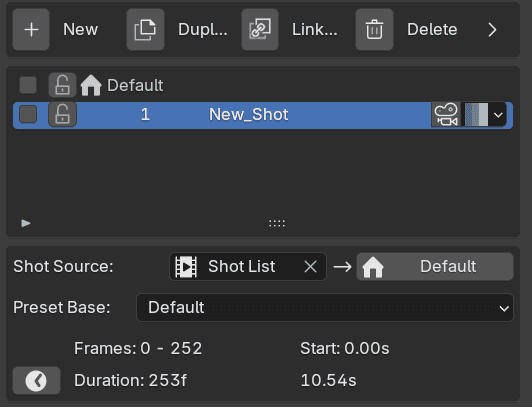
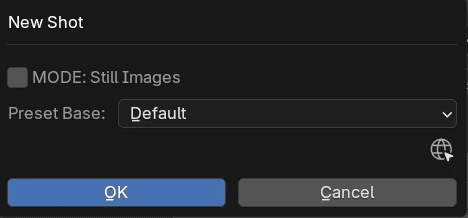
A Preset Base is a shot preset that can be applied when creating a new shot.
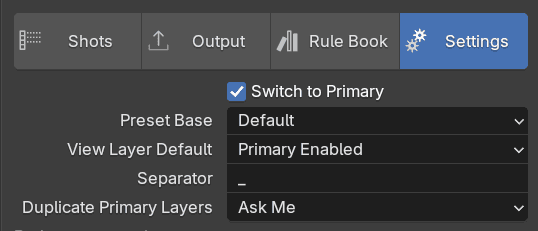
It can be selected when making your first shot or at a later time below the shot list or in the Settings tab.
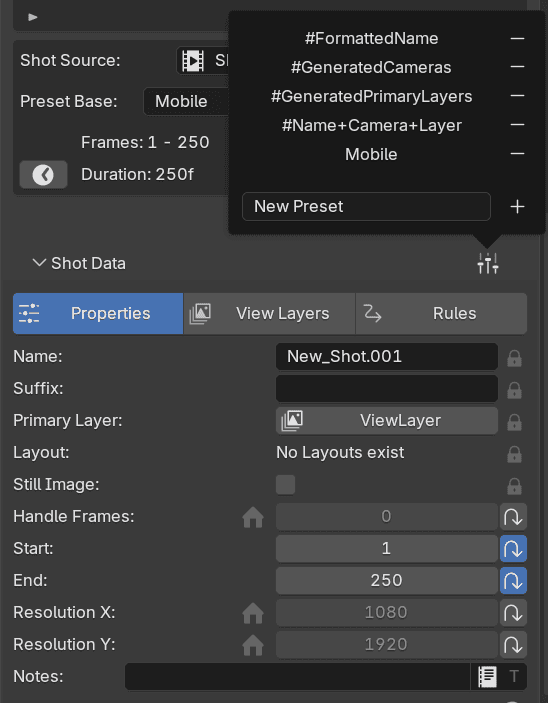
For example, I habe a saved a mobile video preset that includes optional resolution X/Y values.
Any optional properties will be added to the Default shot making it available to new shots.
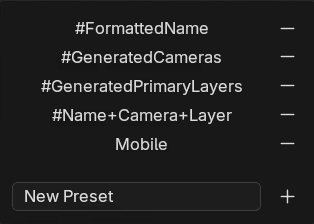
More advanced presets can be craft using Rules and Macros.
Shot Manager Pro has some handy preset included and are marked with #.
FIN
Preset Base - Advanced
Rules and Macros
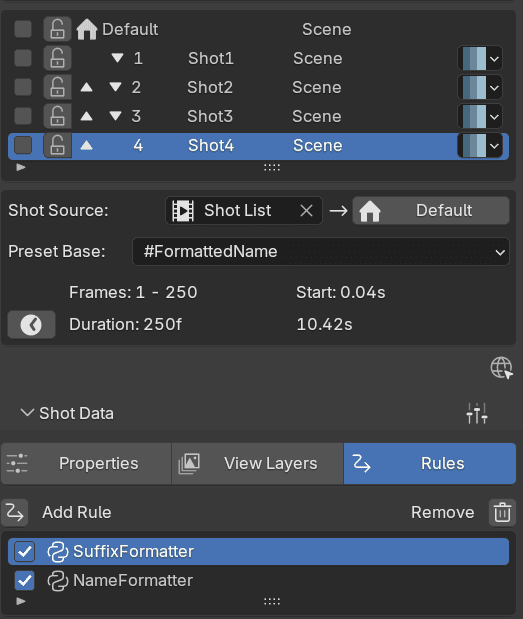
When an advanced preset base is in use new Rules may be assigned to new shots.
The FormattedName preset adds one to affect the shot's name and one for its suffix property. Name and suffix are combine to create the output filename.
Here we can see that the shots are being name Shot + index, with the Scene's name as its suffix. However, if we wanted to customize these Rules, we'd need to visit the Rule Book
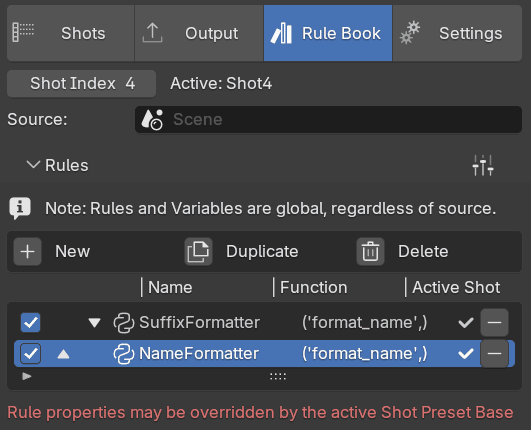
The Rule Book displays all of available Rules within the source scene. If the source is empty, it will be the active scene.
If we choose to disable, rename or delete a Rule, it will affect all uses of it.
The table shows the Rule's function 'format_name' and shows tick icons when they are assigned to the active Shot, Shot index 4.
Let's see the function performed by this Rule.
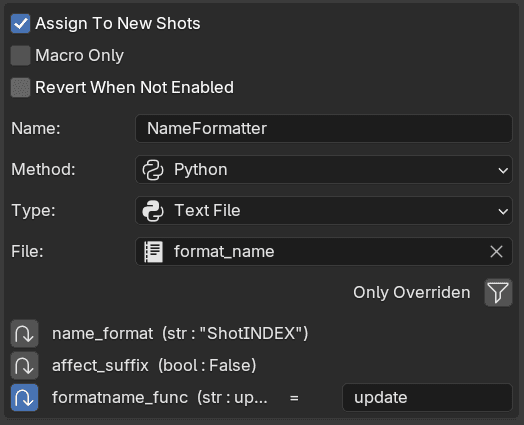
In the Rule's settings, Assign To New Shots is enabled. This is essential to making an advanced Preset Base.
The Rule is also using the Python method with the subtype being set to a text file stored within the Blend file.
At the bottom we see some per-Rule overrides, these are for Variables but we won't modify them here, let's head to the Variables section.
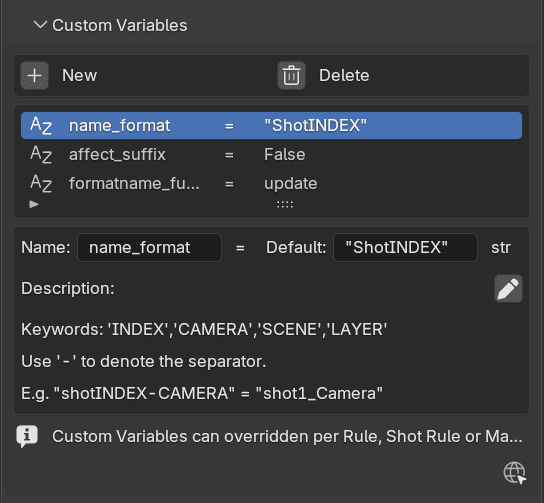
The Preset Base includes Shots Properties, Rules and Variables. Variables however, are not strictly tied to any specific Rule.
Variables are used when a Rule is being evaluated .
Some variables are designed to be modified. In the description there are keywords provided for the name_format Variable.
I want to change my name format to Take_1_CameraName, so I'll need to enter the default value "Take-INDEX-CAMERA"
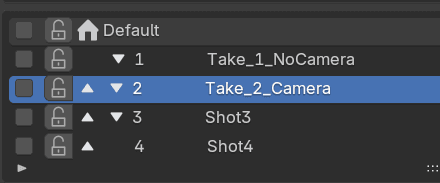
Note that Rules only take affect when the Shot is activated but don't worry, shots are update prior to rendering.
There's one more section to visit…
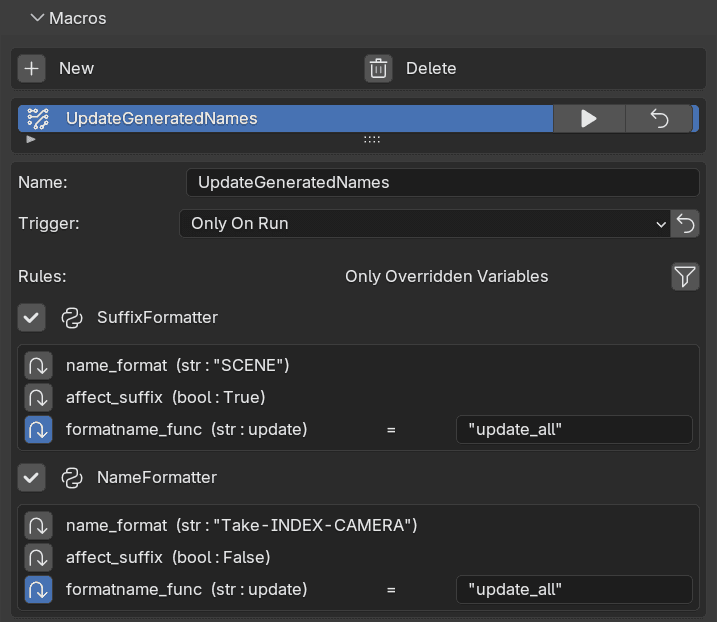
Macros are found within the Rule Book and consist of Rules much like a shot poses Rules.
The trigger is set to Only On Run which requires the user to click the Play Macro button.
This Macro UpdateGeneratedNames simply updates the names for all shots by calling the "update_all" function, this is an example of Variable override.
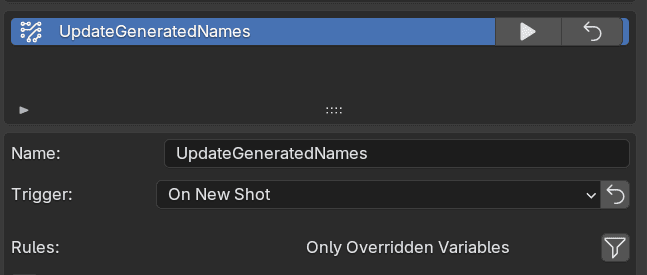
We could change the trigger to On New Shot if we wanted to guarantee every shot name is updated when a new shot is created.
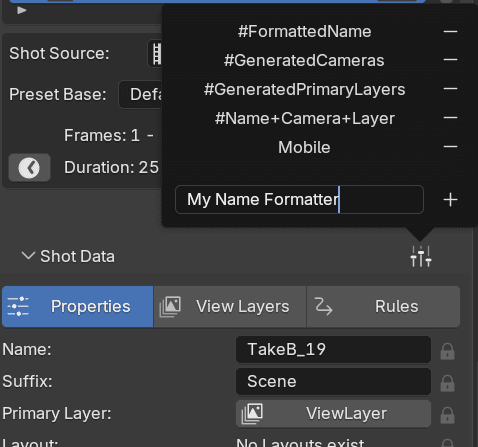
Making a new or modified copy of a Preset Base is simple, save it as a Shot preset.
FIN