
SHOT MANAGER
Workflow Guides
Basic Output
Layers, Primary Layers, Mutli-Switch Node, Sync Output Paths
Rendering Shots may require a compositor graph that handles each shot individually. Shot Manager has several ways to do this, depending on the complexity of your workflow.
The most common requirement is a way to handle View Layers per shot. In this default chain, note that the render layer does not match any enabled View Layers.
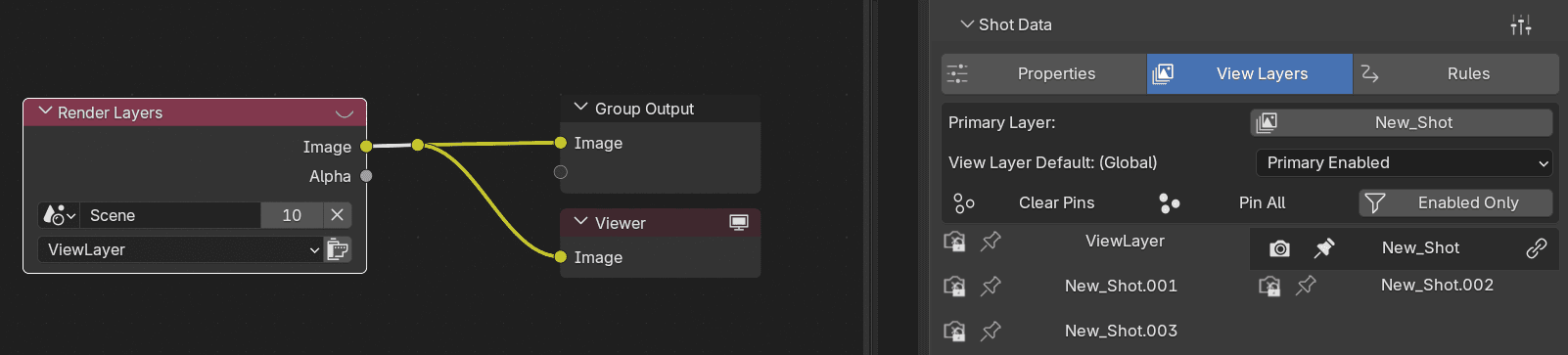
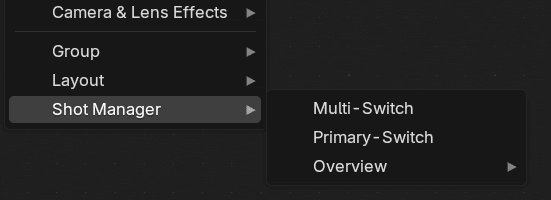
A Primary Layer workflow will use a single View Layer per shot, therefore we need to ensure that layer is included and connected in the compositor.
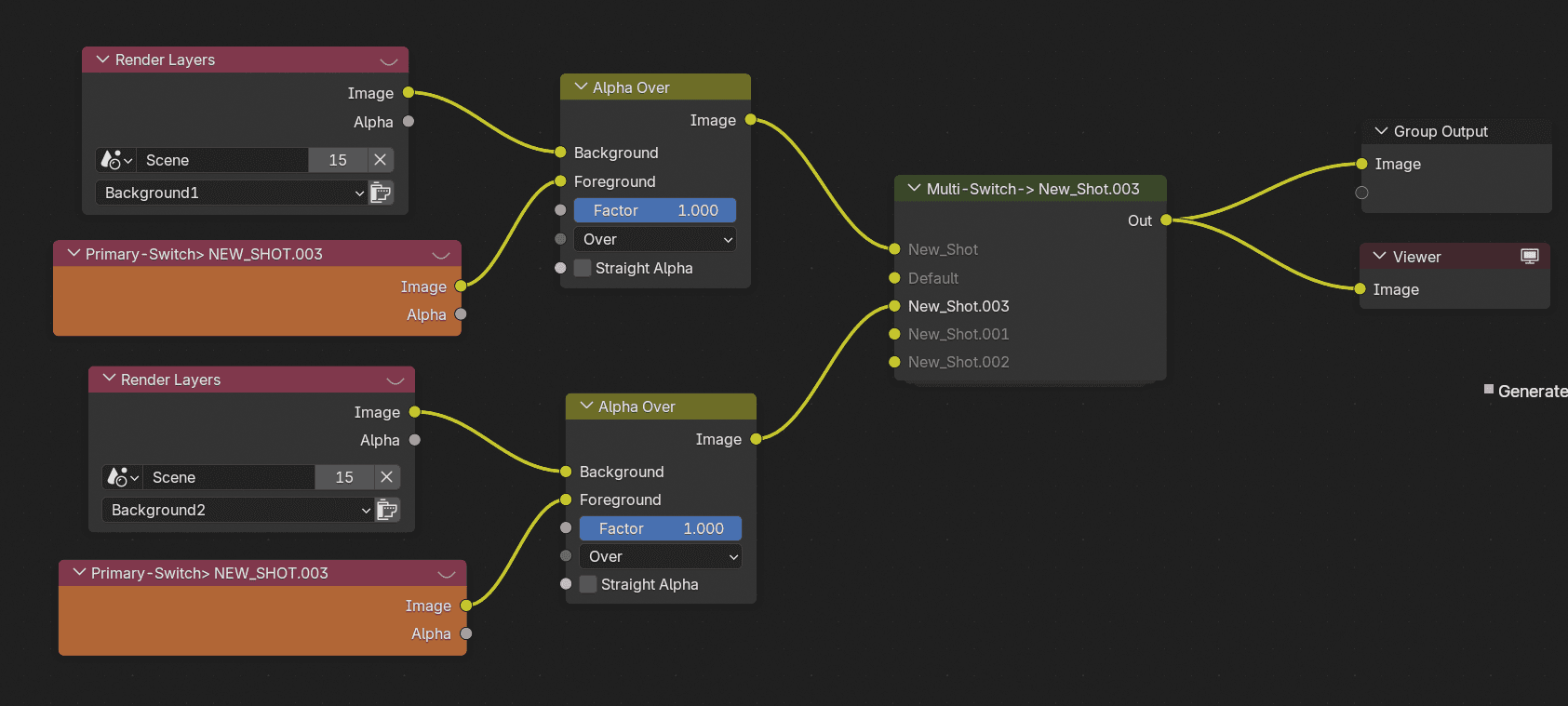
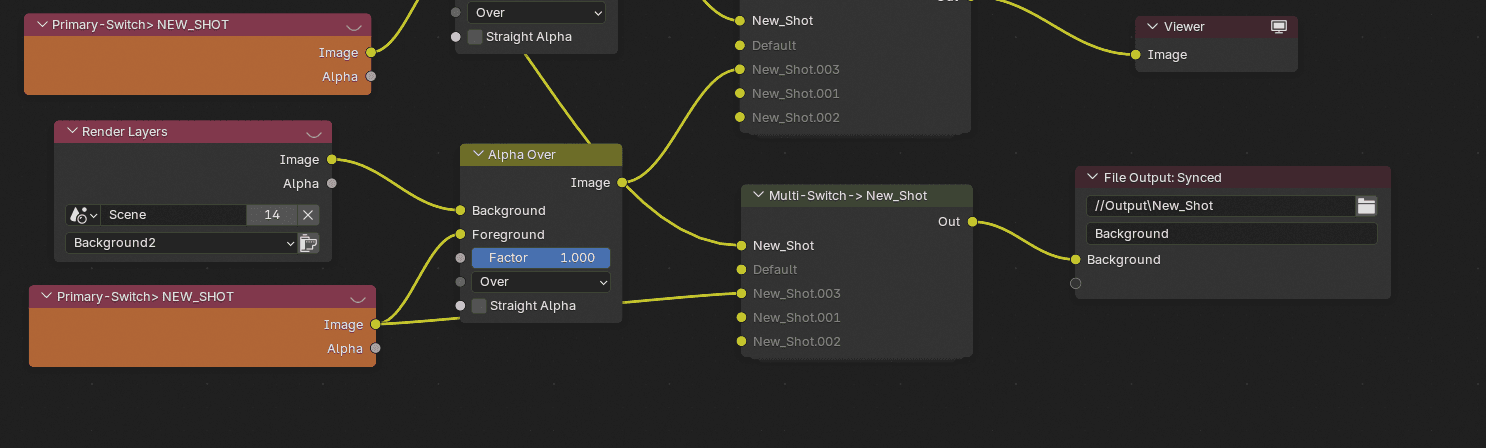
The Primary Switch node is special Render Layer Input node that will automatically select the Primary Layer used by the active Shot.

The Multi-Switch node is a node group that changes its connected input depending on the active shot, this can be used to create distinct per-shot node chains.
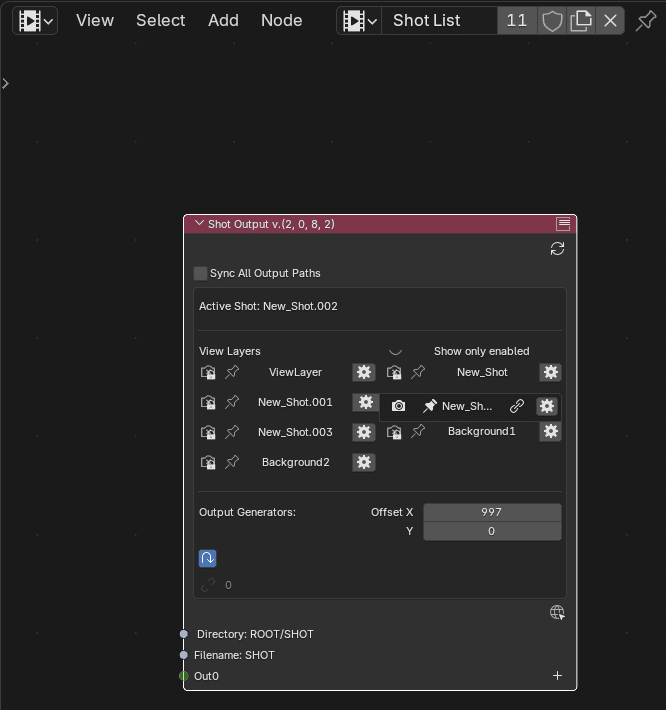
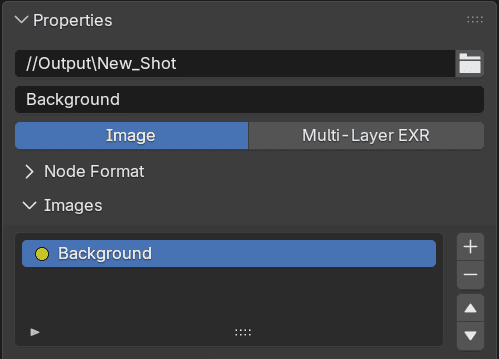
The Shot Output node can be added within the active Shotlist's node tree. Enabling Sync Output Paths will add the Shots file path to Output Nodes.
Here an Output node is separately writing files for backgrounds only. The default filepath structure of Root Folder/Shot Sub folder/file is being updated on the output directory whenever a shot is activated or rendered. Next, let's take a look at generated ouputs.
FIN
Generated Nodes Part 1
Shot Output Node, Generated Passes, Layers, Outputs And Sockets
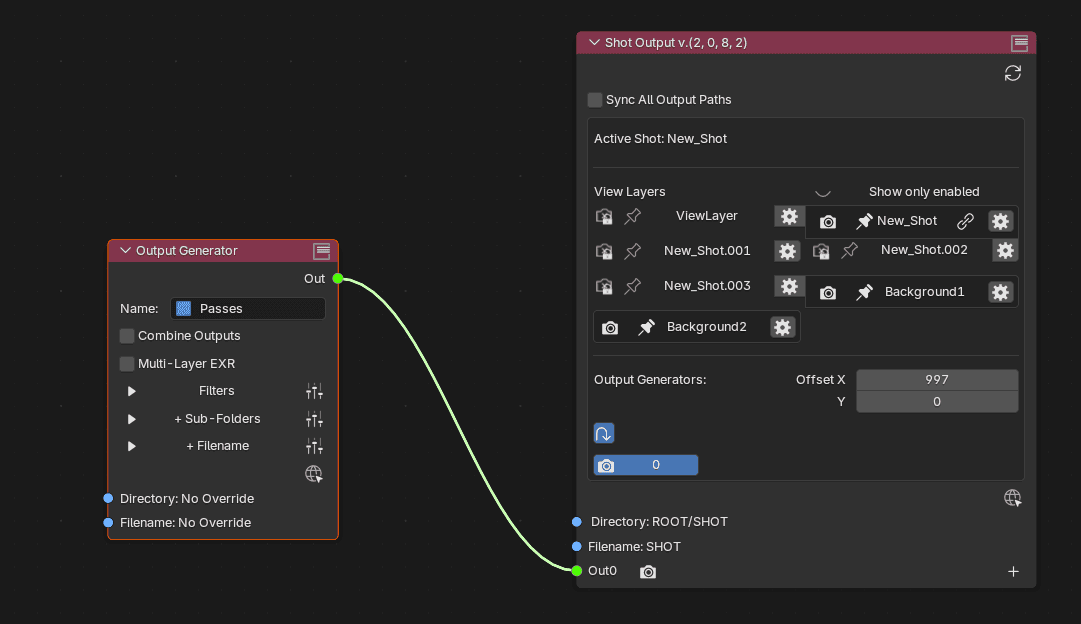
On a Shot Output node within the active Shotlist's node tree, adding out sockets will create generators.
These are node chains that take available Render Layers and Passes through a generative render pipeline.
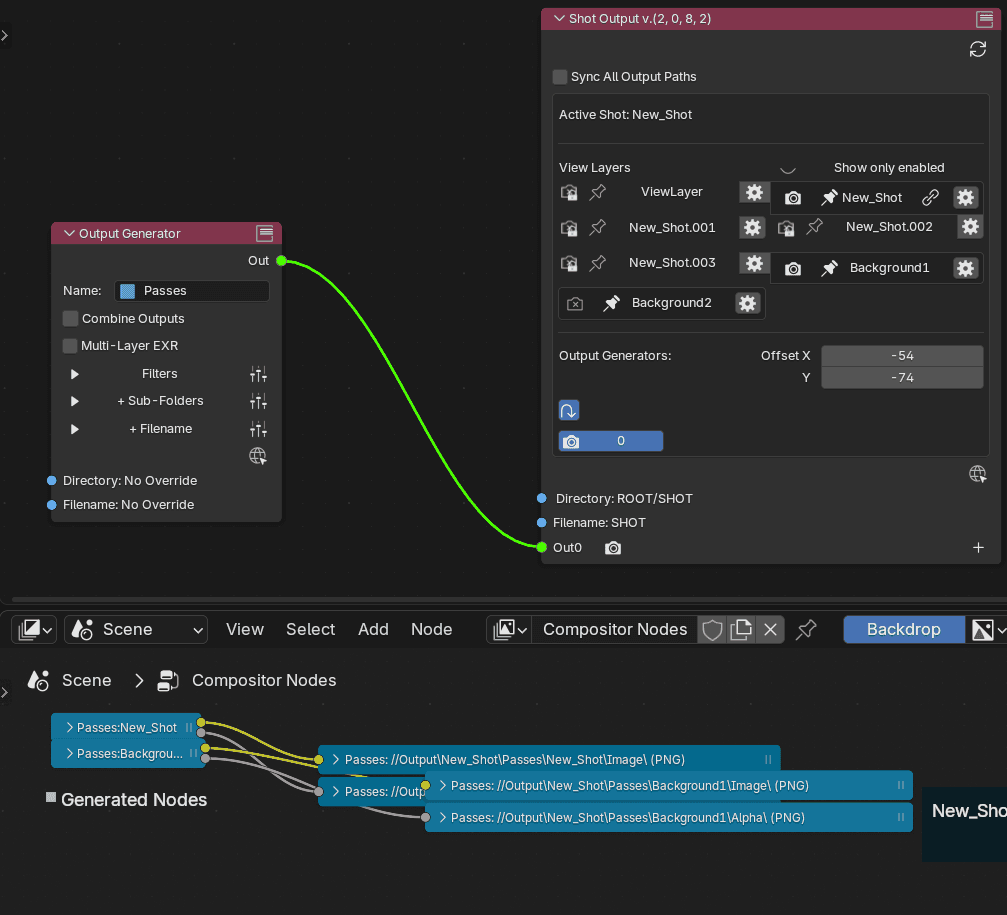
The new nodes are found in the Compositor. The affected compositor node tree will be whichever is currently assign to the scene.
Because two View Layers are pinned as enabled, the generated chain begins with the two layers. Then, it divides into output nodes for each available pass i.e. Image, Alpha.
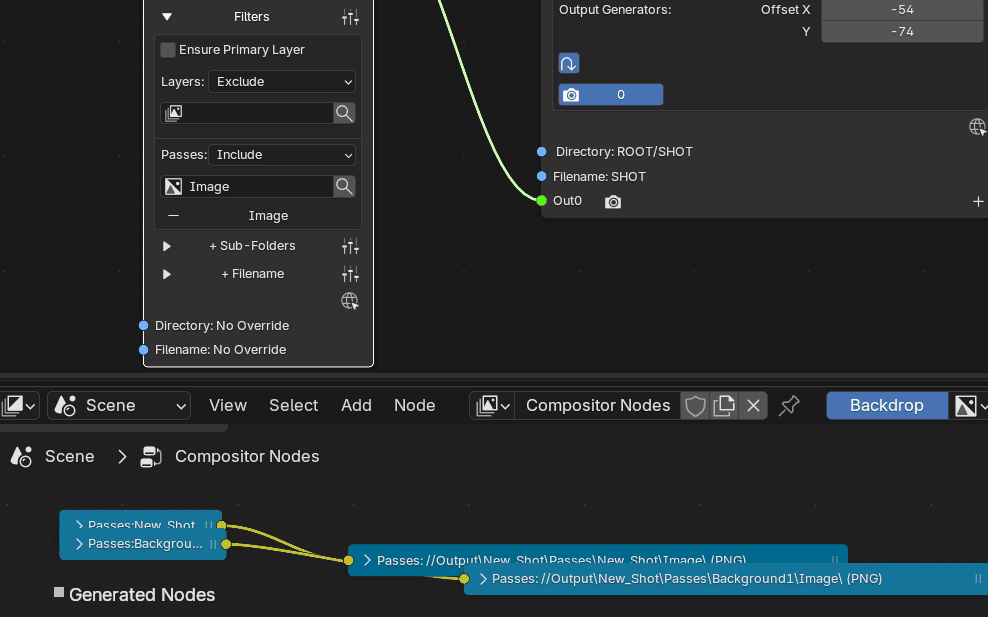
If we only want to output the Image pass, we can use pass filters.
Here, the mode is set to Include with Image in the passes list.
Note; This will not affect which passes are actually enabled for the Render Layer. If a pass is not enabled it will be ignored
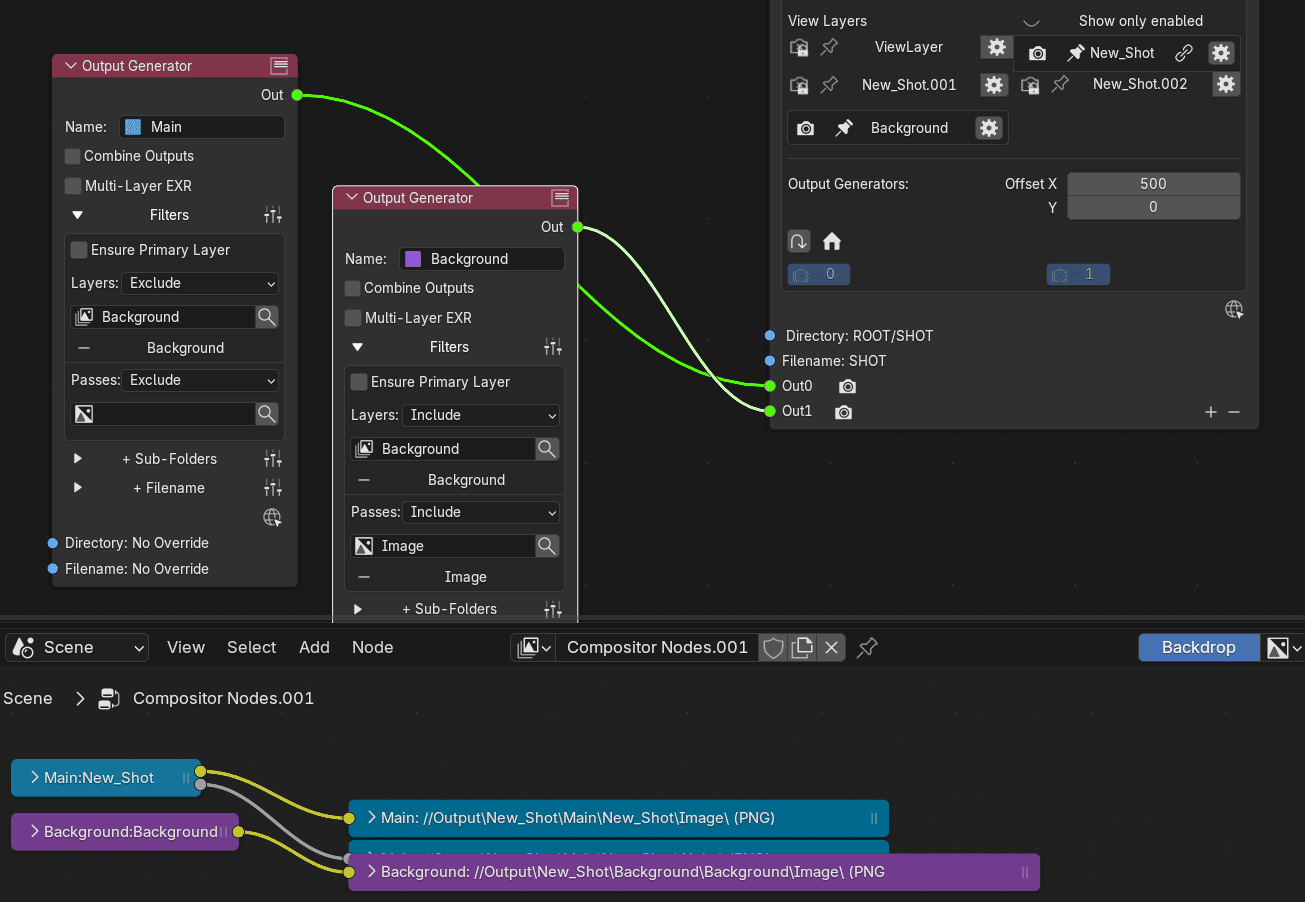
In this variation, a second generator is used to include the Background layer exclusively using layer filters. It also has its own pass filters.
Ensure Primary Layer means that regardless of the entered layer filters, the Shot's Primary Layer will always be included.
Note that by default, files will be separated into directories stemming from their generator's name.
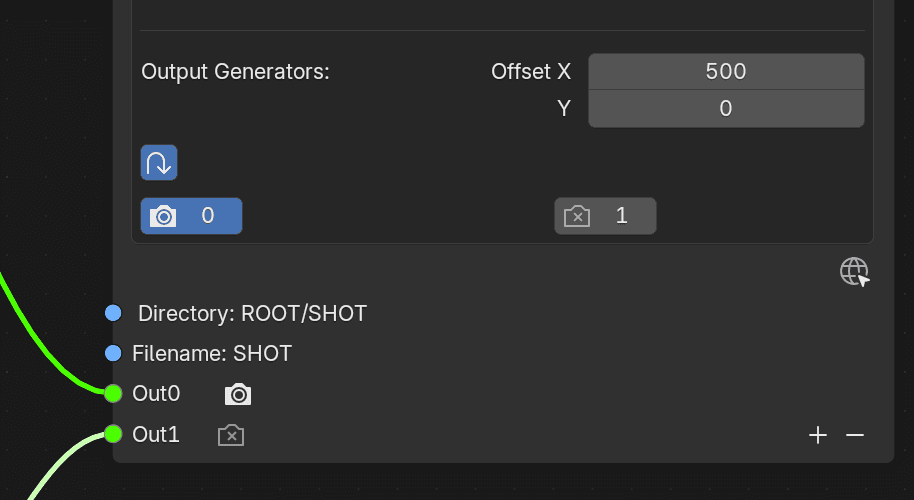
Sockets states can be set per shot. They inherit their states from the Default shot and can be defined individually once overridden.
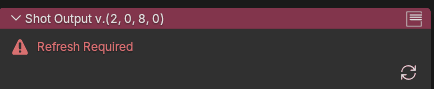
Sometimes when node connection are modified, the generated nodes won't be able to connect to one-another.
Either manually click the refresh button or reactivate the shot.
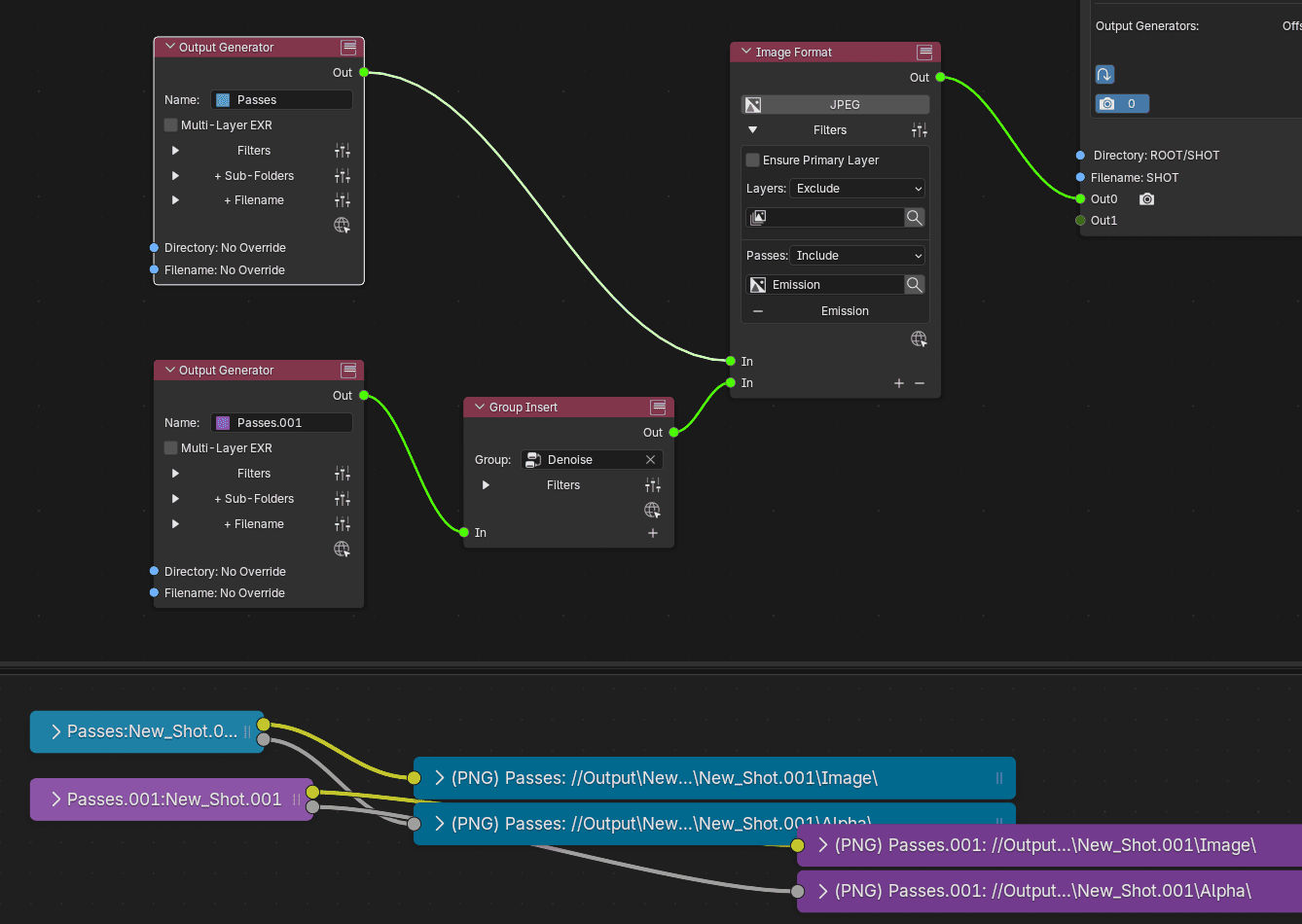
Insert Nodes also have extendible In sockets, allowing for multiple generator chains and outputs, even though they plug into a single Out socket.
This can be handy if you don't want to overcrowd the node tree.
Check out the next module for more on Insert Nodes.
FIN
Generated Nodes Part 2
Insert Nodes, Pass Mapping, Macros
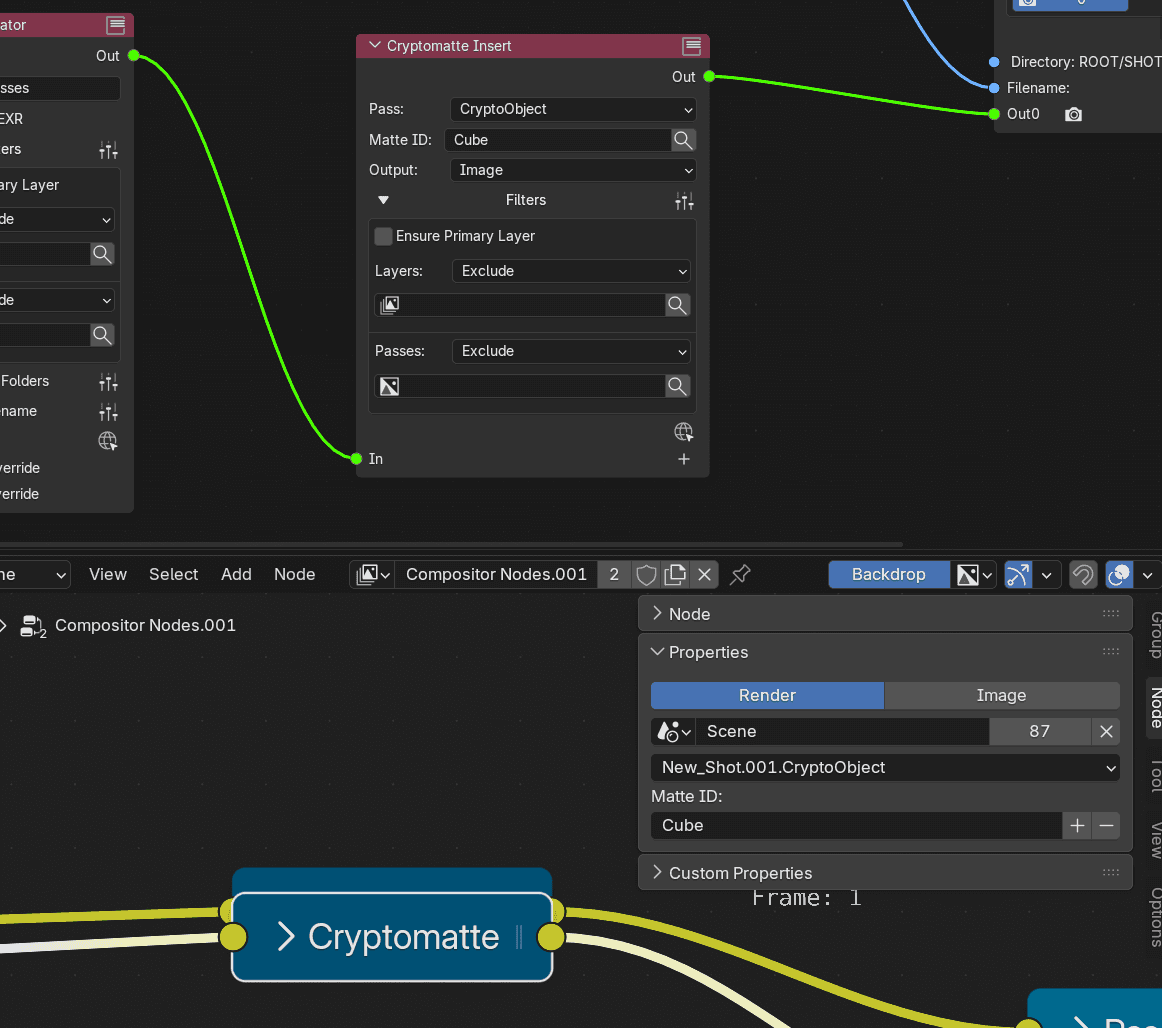
Insert Nodes are placed in-between Generator nodes and the Shot Output Node. They represent nodes that will added in the generated compositor chains.
This Cryptomatte Insert node results in the creation of an actual Cryptomatte node, with all of its given properties.
Insert nodes always have their own layer and pass filters as well as extendible In sockets.
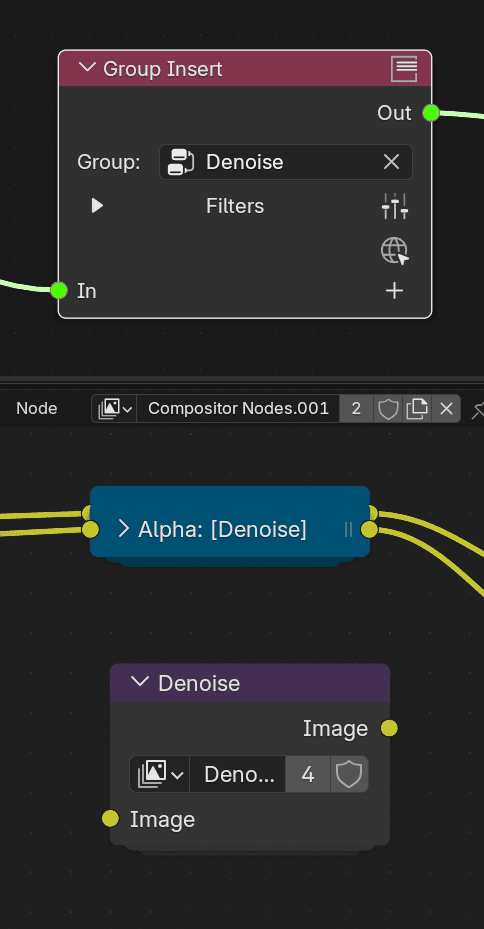
The Group Insert node will reference any node group from the compositor and allows for treatment of passes such as denoising. Note; Only the first Input and Output will be used.
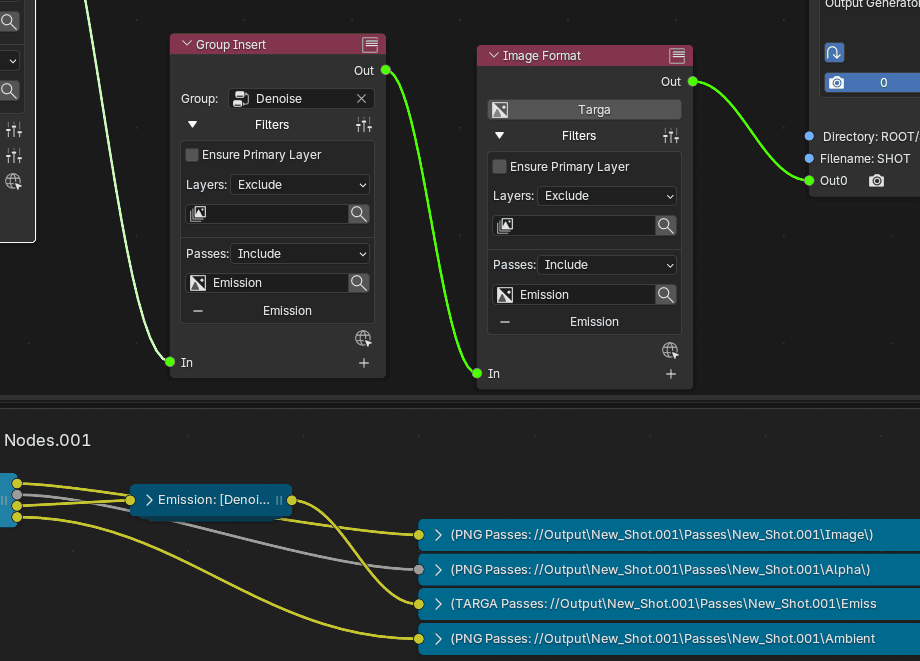
Insert nodes can be used in serial.
In this example on the Emission pass is being denoised and will be written as a Targa file, thanks to the Image Format node.
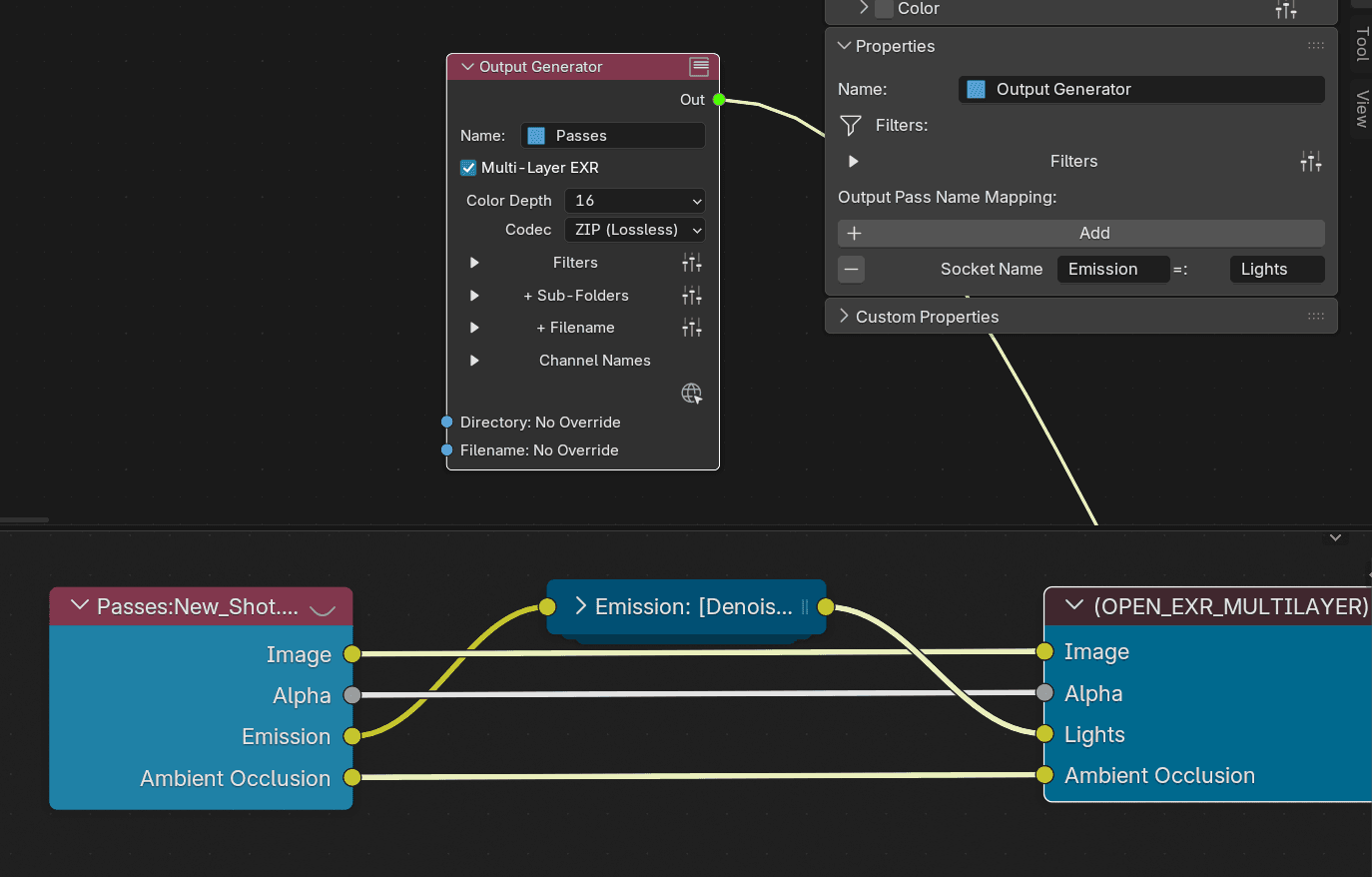
Each Output Generator node has its own Output Pass Name Mapping override.
Sockets can receive a new name on the output end often improving compatibility between Blender and post-production software or pipelines.
Presets can be saved and used between projects.
Mapping will affect file and sub-folder names as well as channel names on multi-layer images.FIN